

OmniScript Data Inspector
Inspect live OmniScript data, explore its structure and review captured calls in a browser DevTools panel.
Add to Chrome Source on GitHub
See it in action
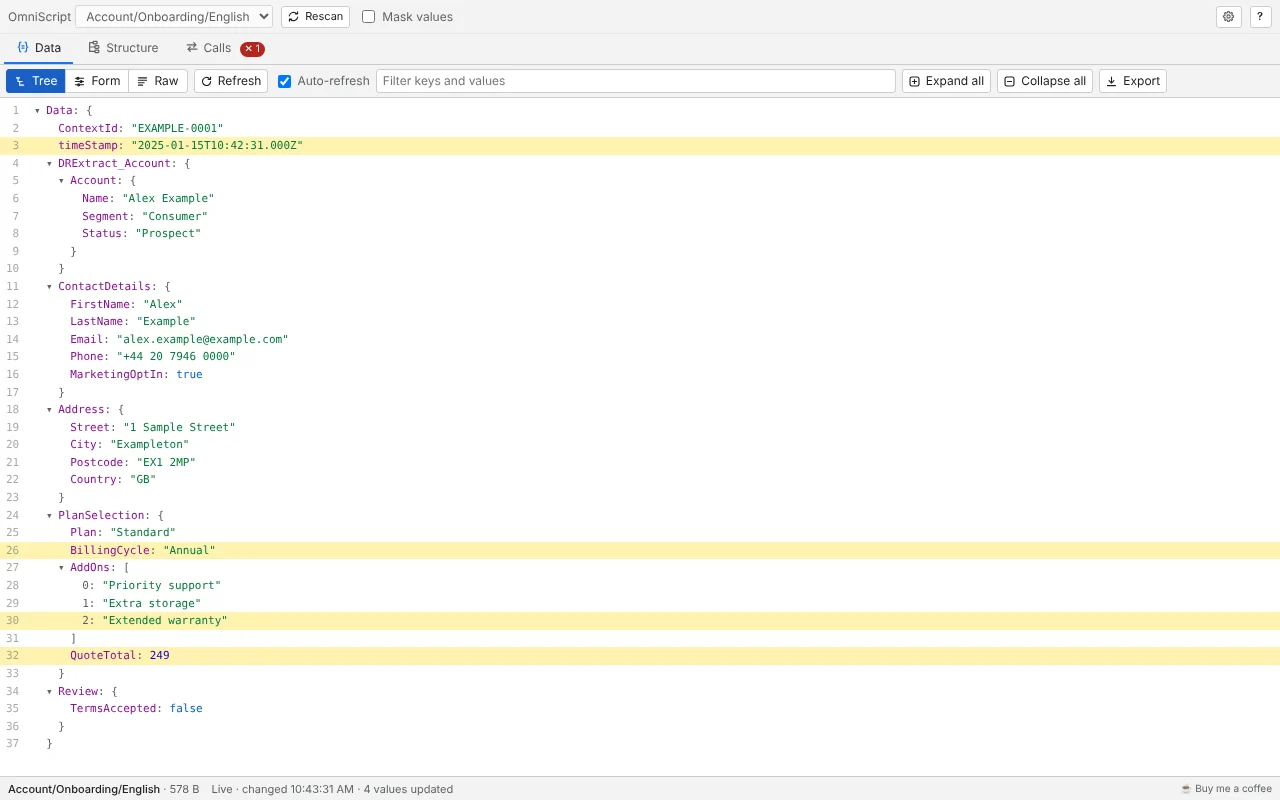
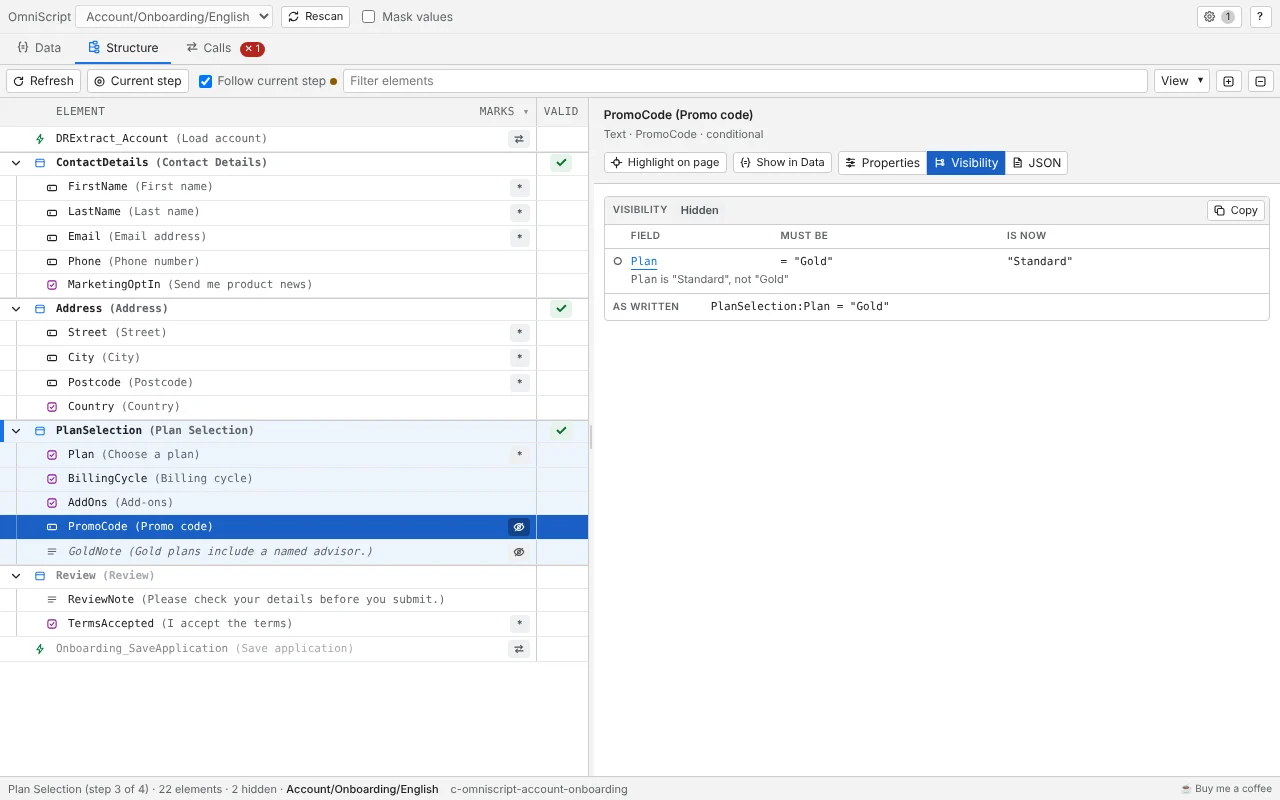
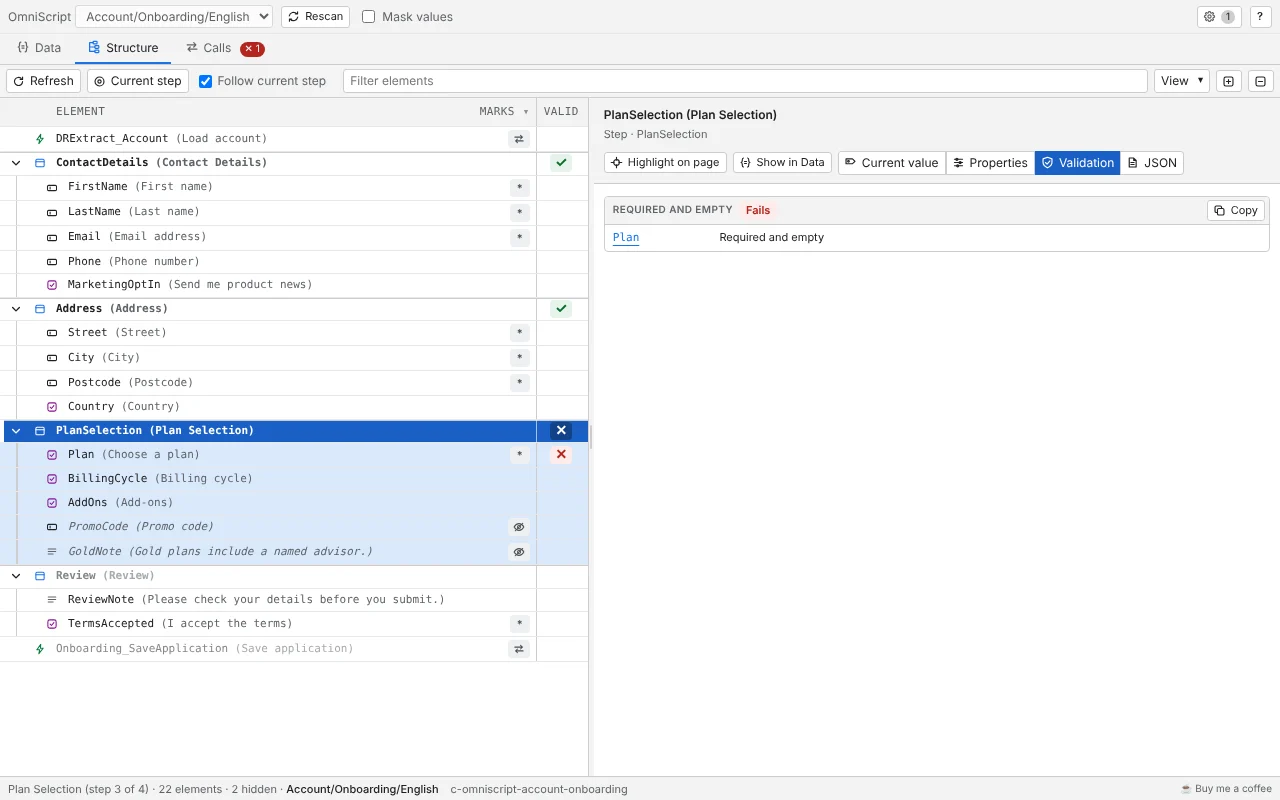
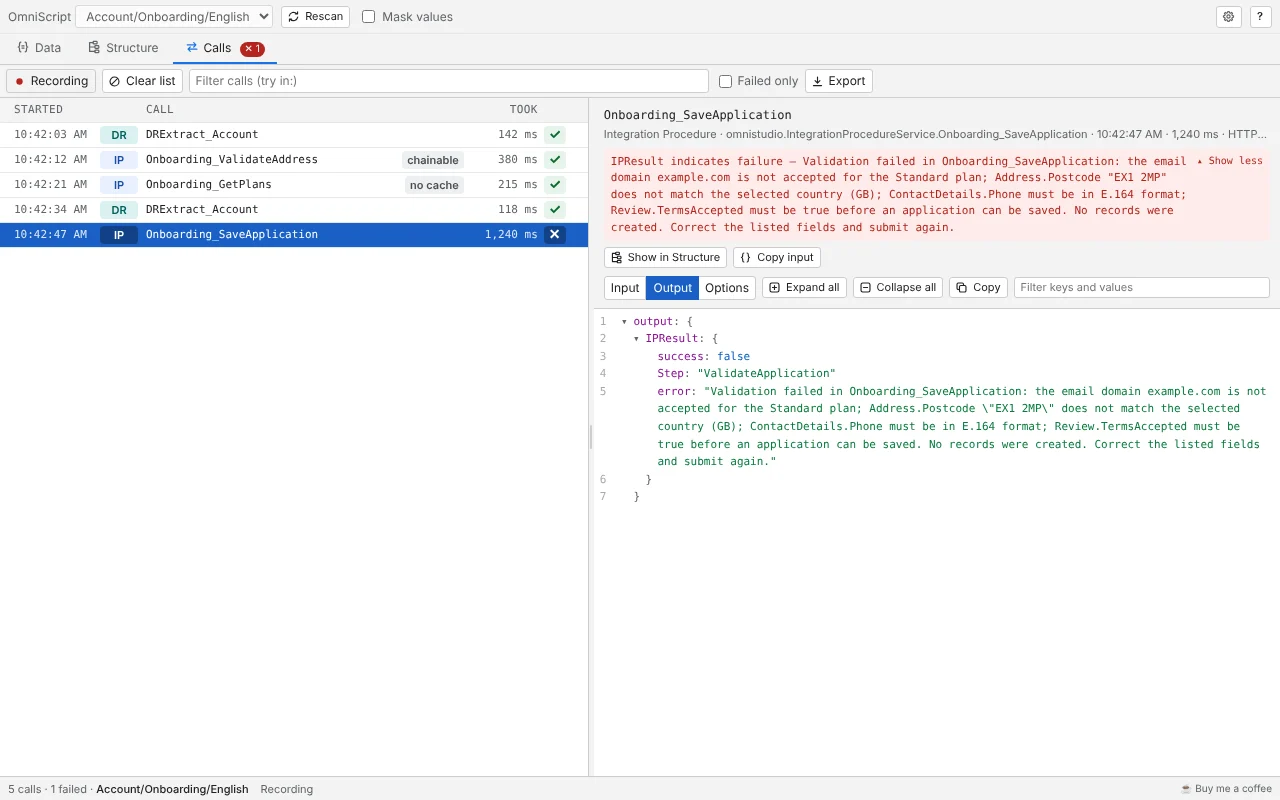
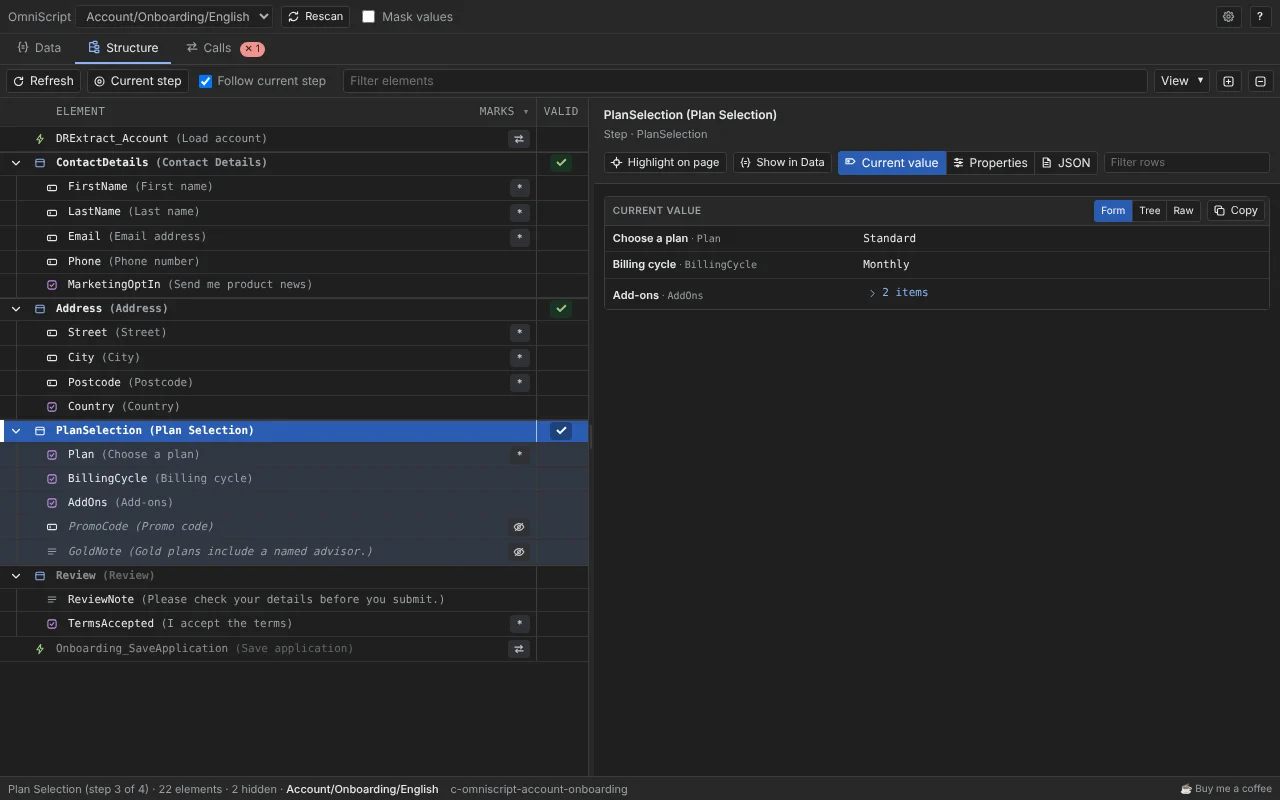
Select a screenshot to enlarge it.
What it does
- Data. View the script’s current data as a tree, a form or raw JSON. A value that changes flashes amber. Filter by words, a path or
key=value. - Structure. Explore the script’s elements alongside live data, with explanations of visibility rules, formulas, Set Values and validation. Check what may prevent you from moving to the next step.
- Calls. Inspect captured Data Mapper, Integration Procedure and Remote Action calls, including their input and output. A failed call is marked even when the response is HTTP 200.
- Linked together. Jump from a value to its element and from a call to the element that made it. Open in Designer works for core and managed packages.
- Mask values. Strings and numbers become placeholders in everything you copy, save or export.
Get started
Install the extension, open a page running an OmniScript, then open your browser’s DevTools and select the OmniScript panel.
Start with Get started in five minutes, then explore the Guides. The reference describes every control.
Compatibility and privacy
Use the extension in Chrome with core OmniStudio or a Vlocity managed package.
The panel reads data from the page you inspect and observes its network calls. Optional test calls, disabled by default, use the page’s session to call your org. Inspected data and captured calls stay in memory until you close DevTools; you can choose to save preferences or export files. Read the privacy policy.
Help and feedback
Found a bug or have an idea? Open an issue on GitHub or email me.
If this extension has saved you time, you can buy me a coffee ☕.